
Skip to content

For home stagers and interior designers

Stage more.
Manage less.

Your creativity at the center of every project.

Give agents a branded, private view of the home you’re staging, and keep projects, schedules, inventory, proposals and invoices together in your Business Center.

Access is currently reviewed. Your request does not commit you to a purchase.

A staged living room with a gray linen sofa, cognac leather chair, travertine coffee table and an arc floor lamp in warm afternoon light
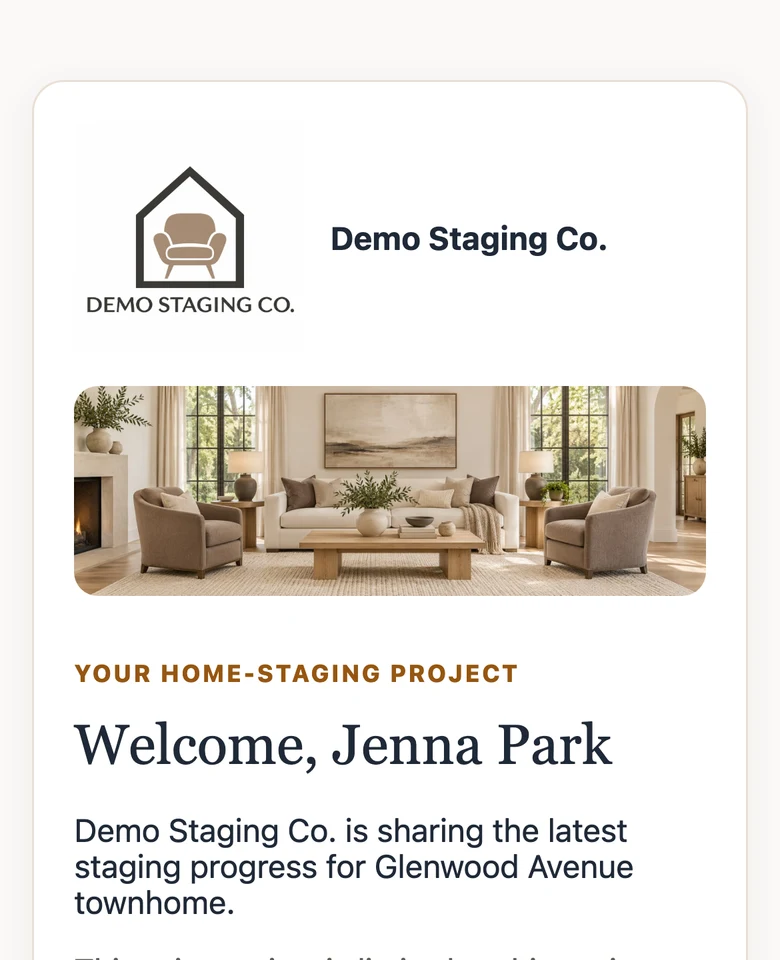
The agent's phone view of the project: Demo Staging Co. logo and cover photo, “Welcome, Jenna Park”, and a note that this private view is limited to this project.
A sunlit staged dining room with a round oak table, oak chairs and stoneware vases

At the center

You lead the project. Everyone else sees what you choose.

The shared home-staging project

One project. Every person it touches.

A staging job brings together agents, homeowners and vendors. iStagers keeps you at the center, sharing the right details with each of them while your business stays private.

  • Real estate agents

    A private view of the project

    Your branded welcome, the current phase, the dates you share, your updates, and a conversation with you. Only that project, for a limited time.

  • Homeowners & clients

    Proposals they can approve online

    They review your branded proposal through a secure link and approve or decline it. You keep them informed along the way.

  • Vendors & partners

    Organized in your contacts

    Movers, builders, photographers and other partners are saved as contacts and attached to the projects they work on.

What agents see today

A private welcome that reflects your work.

Invite the listing agent to one project. They get your logo and cover photo, the current phase, the dates and updates you publish, and a direct conversation with you.

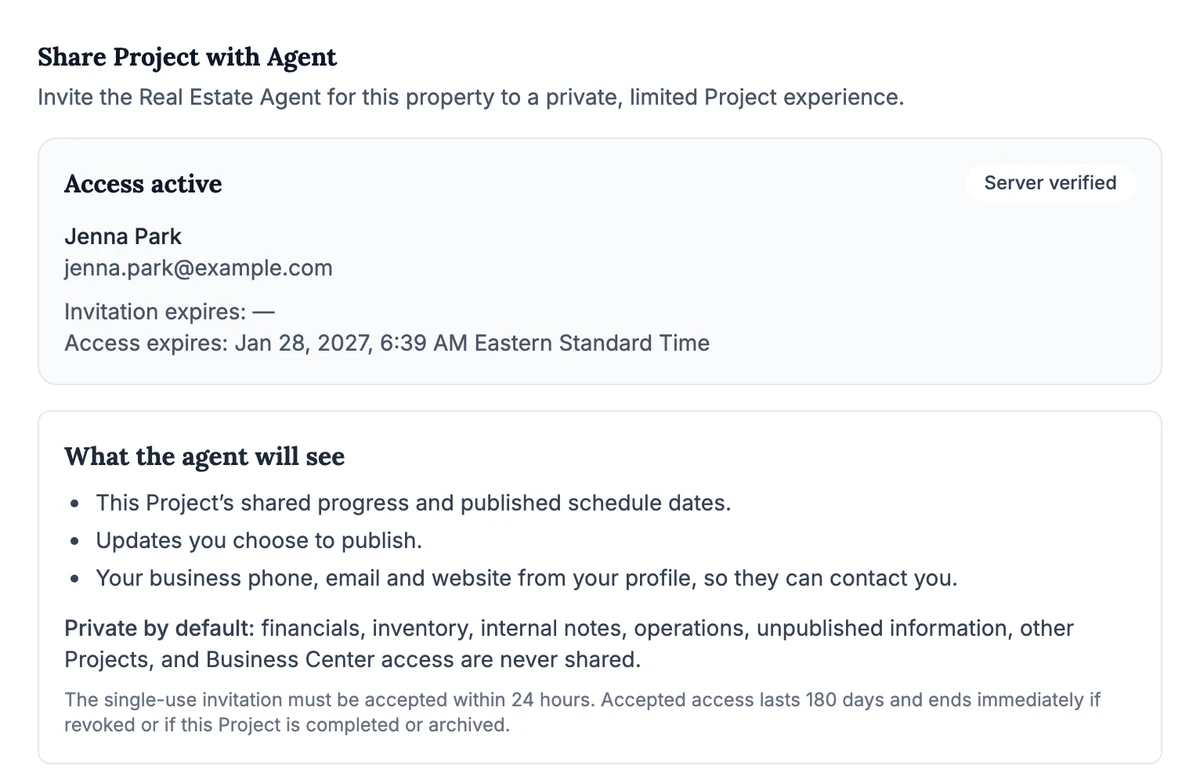
The stager's sharing panel: access active for Jenna Park, and a list of what the agent will see: shared progress and published schedule dates, updates you choose to publish, and your business contact details. Financials, inventory, internal notes and other projects are never shared.

In your Business Center: who has access, until when, and exactly what they can see.

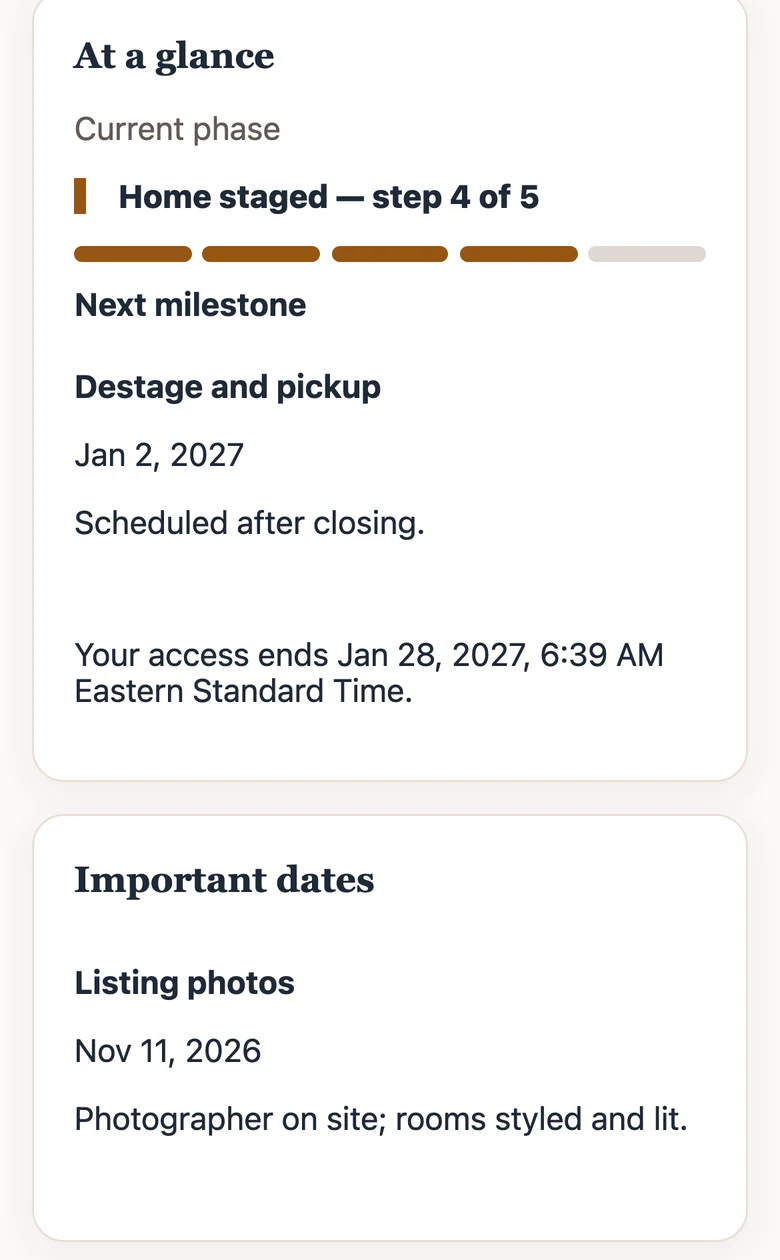
The agent's view on a phone: At a glance, current phase Home staged, step 4 of 5, next milestone Destage and pickup, and an important date for listing photos.

On the agent’s phone: the project at a glance.

Business Center

The practical side, beautifully organized.

Your creative work is the reason. These are the tools that support it, shown here with sample data from Demo Staging Co.

01Projects

Every staging job, from walkthrough to destage.

Each project keeps the property, rooms, contacts and stage together, so you always know where a home stands.

  • Rooms with the pieces placed in each
  • Agents, homeowners, builders and vendors attached by role
  • Stages from consultation through pickup
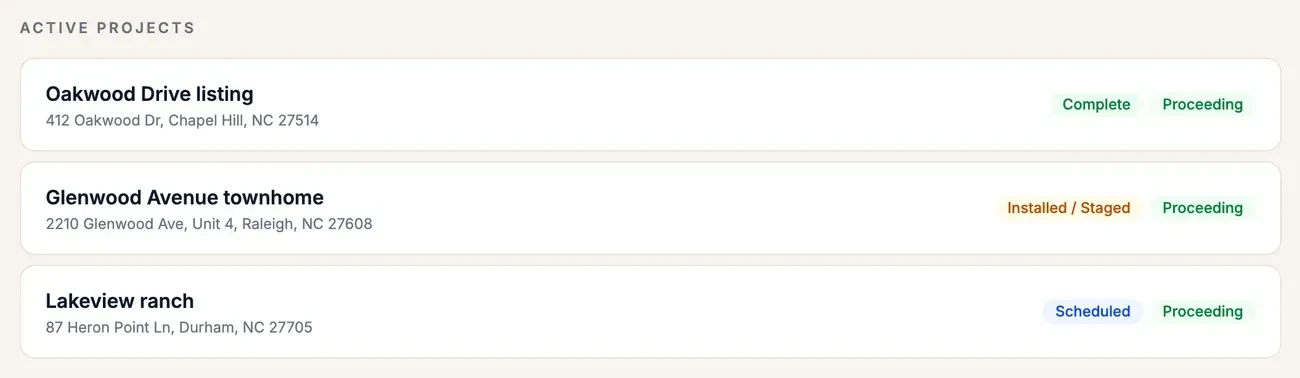
Projects list showing Oakwood Drive listing marked Complete, Glenwood Avenue townhome marked Installed / Staged, and Lakeview ranch marked Scheduled.

02Scheduling

Key dates, shared on your terms.

Plan milestones, property visits and important dates for each project. Choose which ones the agent sees, and mark them complete as you go.

  • Milestones, expected visits and important dates
  • Share a date with the agent, or keep it internal
  • Post updates or delays in plain language
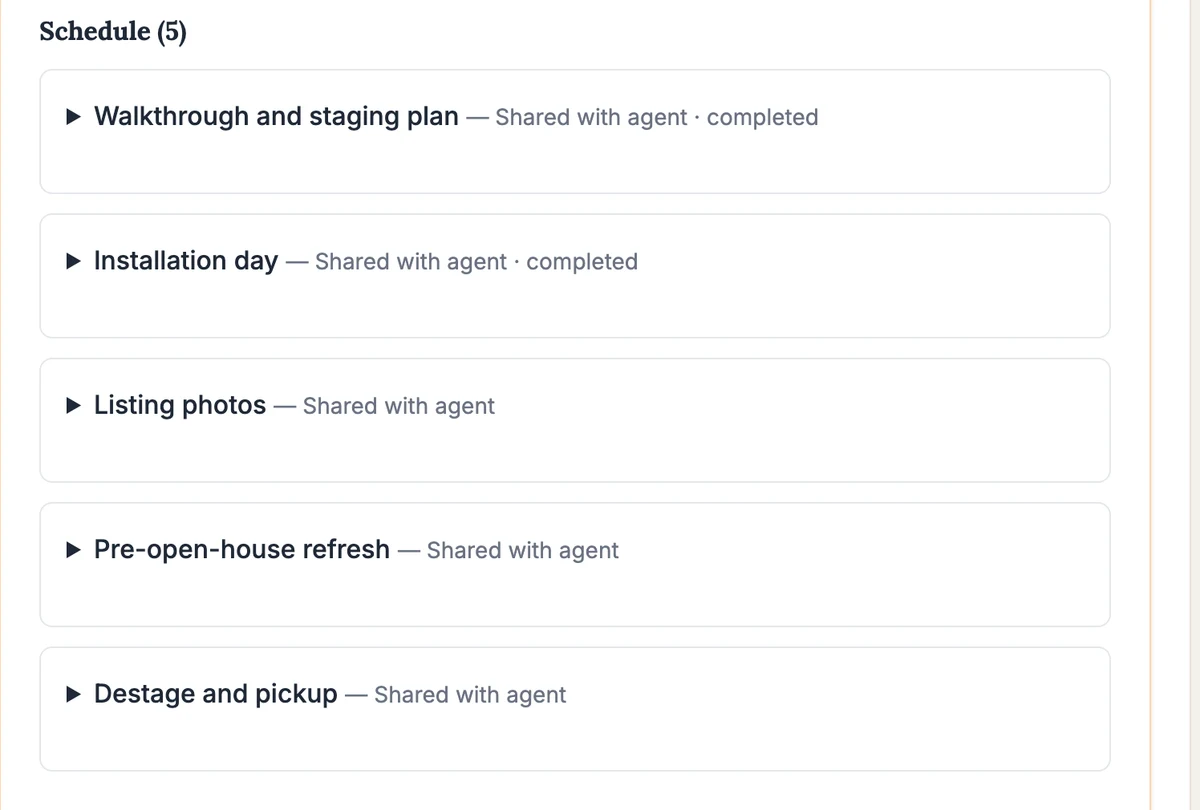
Project schedule with five items: walkthrough and staging plan and installation day completed, then listing photos, pre-open-house refresh, and destage and pickup, each shared with the agent.

03Inventory

Know what you own and where it's going.

Photograph and organize your pieces, then assign them to rooms on each project, so commitments are clear before install day.

  • Photos, categories, quantities and condition
  • Assignments to project rooms
  • Search and filter your whole collection
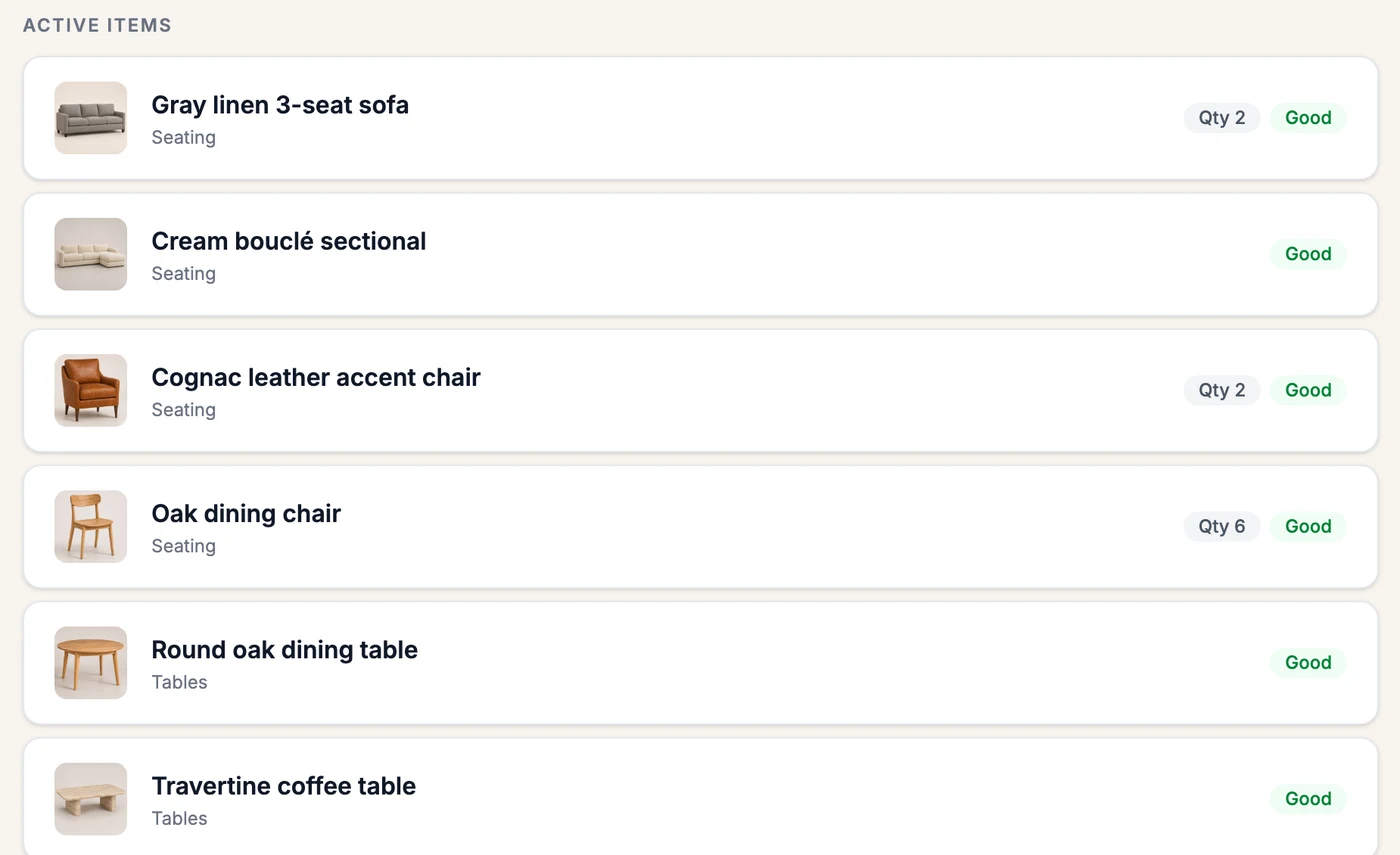
Inventory list with photos: gray linen sofa, cream bouclé sectional, cognac leather accent chair, oak dining chairs, round oak dining table and travertine coffee table, with quantities and condition.

04Proposals

Polished proposals with your logo.

Send a branded proposal for the rooms you'll stage. Homeowners and clients review it through a secure link and approve or decline online.

  • Line items, message and terms
  • Rooms included in the plan
  • Approval recorded with the proposal
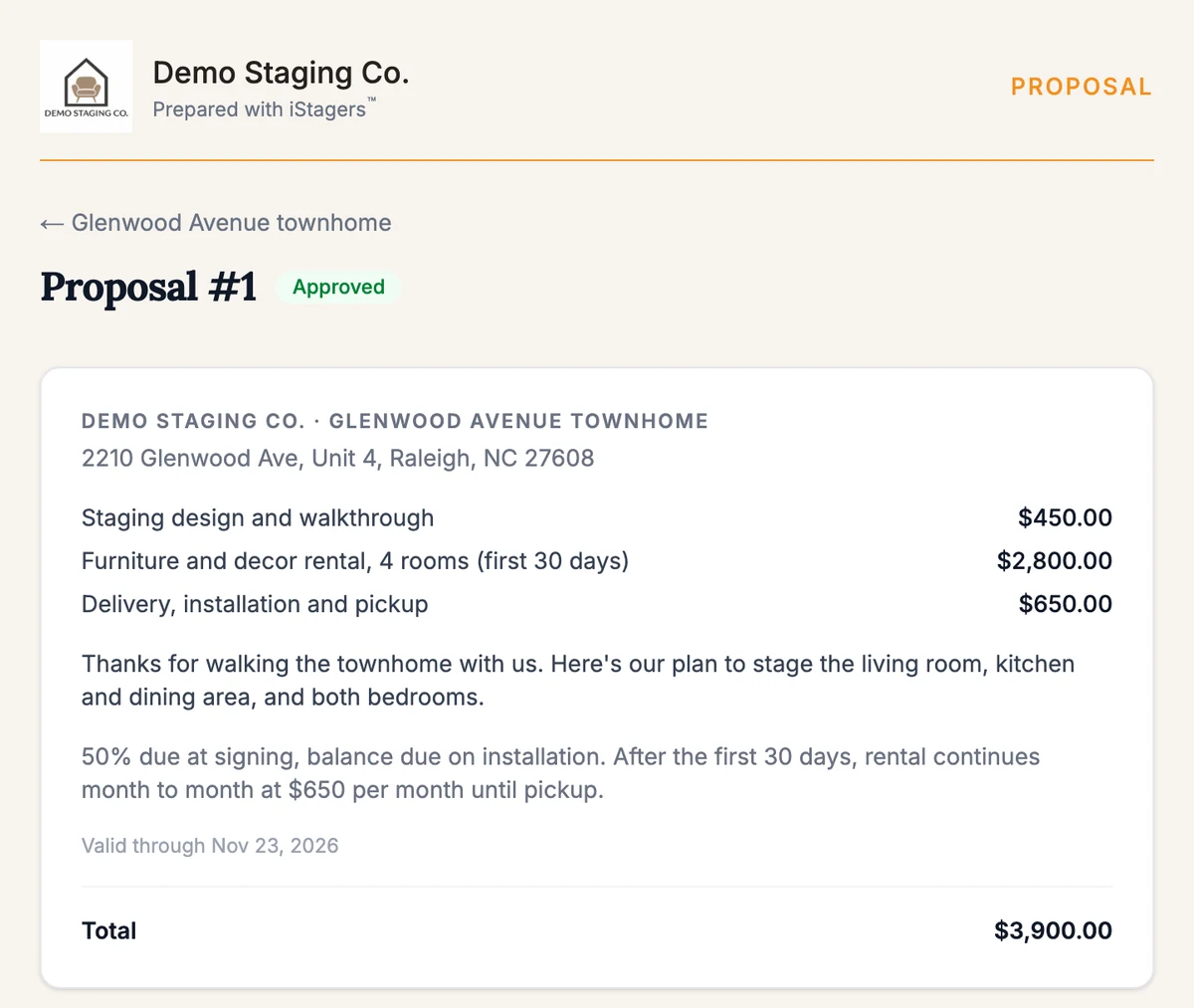
Approved proposal from Demo Staging Co. for the Glenwood Avenue townhome: staging design $450, furniture and decor rental $2,800, delivery, installation and pickup $650, total $3,900.

05Invoices

Invoices and payment records in one place.

Turn the approved plan into an invoice, record payments as they arrive, and see each balance at a glance.

  • Invoices created from approved proposals
  • Payments recorded against each invoice
  • Balances and history for every project
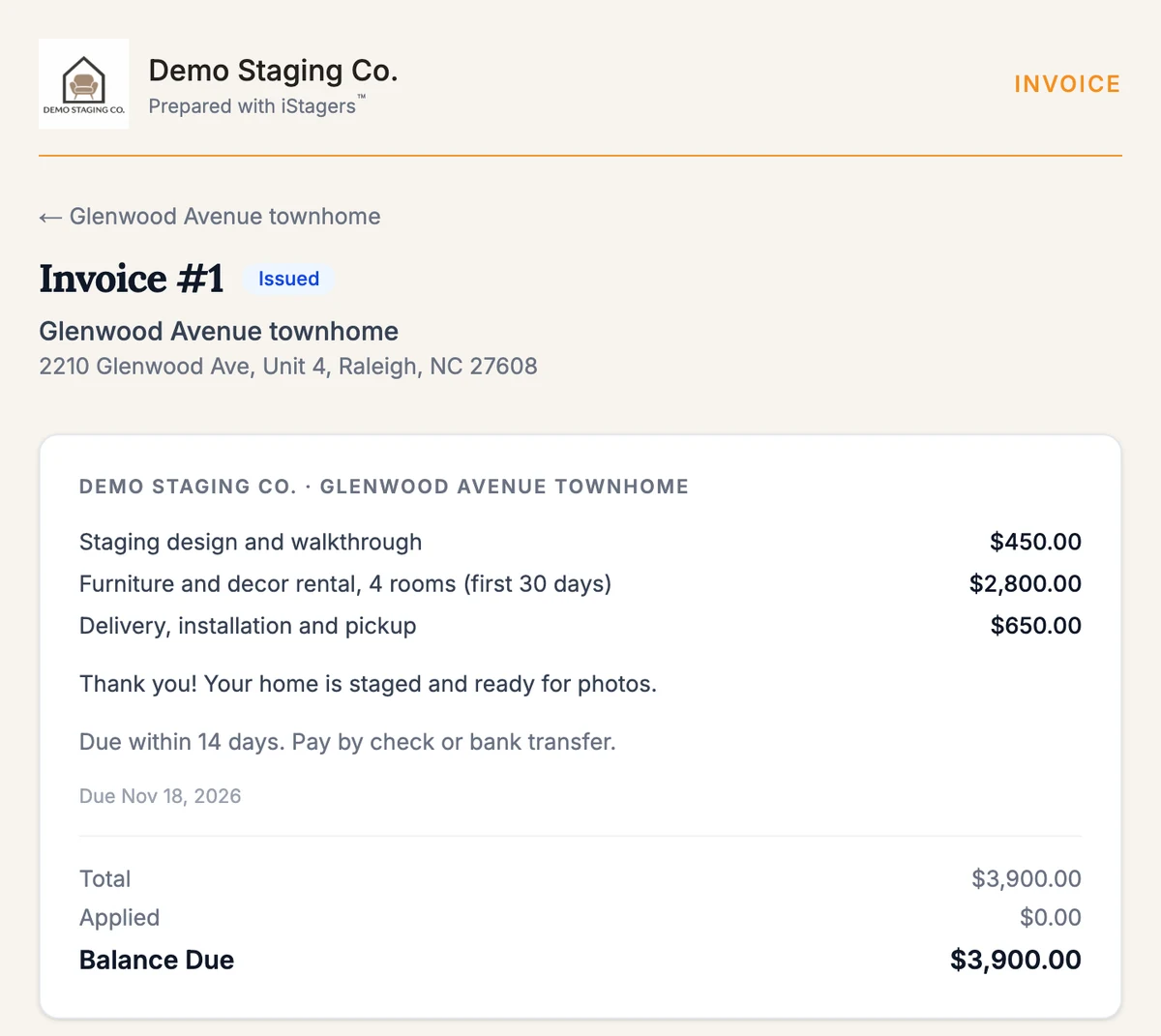
Invoice #1 for the Glenwood Avenue townhome with three line items, a total of $3,900, and a balance due of $3,900.

Explore the demo

Step inside Demo Staging Co.

A sample staging business with three projects, eighteen pieces of inventory, an approved proposal and an open invoice. Everything here is sample data.

A clickable, view-only tour of the Business Center is on the way. Until then, these are the real screens.

Demo Staging Co. inventory with furniture photos, quantities and condition.

Before you begin

A few useful details.

How does Business Center support my projects?

Keep property details, rooms, contacts, schedules, inventory commitments, proposals and invoices together. Record payments and manage the practical work alongside your creative decisions; payment records do not automatically collect money.

What can an invited real estate agent see?

An invited agent gets a separate view of the specific project you share, including the current phase, the dates and updates you publish, and a conversation with you. Private financials, inventory, internal notes and other projects stay in Business Center. Project access is time-limited and revocable.

What about homeowners and vendors?

Homeowners and clients can review and approve or decline your proposals through a secure link. Vendors and other partners are kept as contacts on the projects they work on. Neither has a project view like the agent’s today.

Can the experience carry my brand?

Save your business logo, colors and cover image for branded documents and the shared project experience. Choose separately whether your logo and cover appear on your public business page.

Will my projects be listed in Find a Stager?

No. The directory links to explicitly published business pages with the service area, services and contact details the business chooses to share. Private project and inventory data are excluded.

How do I get started?

Request access and confirm your email. Access is currently reviewed. You can prepare business details privately; public publishing and commercial availability will be confirmed before any purchase commitment.

A warmly lit staged living room with a cream sectional, travertine coffee table and olive trees

Your next chapter

Make space for the work only you can do.

Start with an access request. We’ll confirm your email and review how your staging business joins the experience.